Monday, November 19, 2012

A Month with Galaxy Note 2

Hello all

As I announced earlier, I have moved to a Galaxy Note 2 from my trusted and beloved Galaxy Nexus. It has been one month and I'd like to share my experience, and please take note, you won't find such 'long term tests' on other tech blogs.

My Note 2 is the beautiful Titanium Grey version, bought factory sealed and unlocked. Its built in memory is 16 GB.


POWER BUTTON LAG

Believe it or not, I am thinking about getting rid of the Note 2 ASAP. Main culprit is the pathetic, infuriating, shameful 'power button lag', i.e. when you press the power button, the phone takes a second or so to wake up.
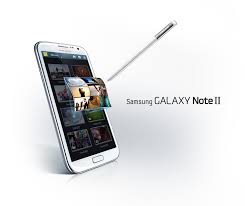
It is simply amazing how Samsung curate the shortcomings of their products so lovingly and carry them across to newer devices, spanning years and generations. This has been a pet peeve of Touch Wiz sets and it is still there, true to form, quad core processor and 2 GB RAM not withstanding.

Home button? Why, a double tap of that now enables S Voice, another pointless layer in addition to Google's own vastly superior Now (also present - go figure). Naturally, the home button waits for the second tap every time, before switching to home. To hasten its laggard ways, you can disable S Voice. Elegant.

USER INTERFACE

I have said it before, and I will say it again: TouchWiz is a hideous monstrosity that is an affront to Google'e beautiful Holo interface. Everything from the horrendous in-call screen to the Contacts app have been given a makeover that brings them bang up to date..for 2010. True, the apps are more functional, but most of those additional functions are not utilized anyway.


Touchwiz: Beautiful, innit?

Those reading this on a PC, do one thing: go to your display settings and set the resolution to 640x480. See how bloated everything is? That's basically what Samsung have done with added screen space on Note 2: absolutely nothing. The whole UI, windows, fonts, scroll bars - everything is just an enlarged version of that found on Galaxy S3. Short of browsing the web or media, you are NOT getting ANY additional advantage out of that 5.5 inch diagonal. Unless, of course, you root it and set a lower LCD density, in which case it all makes much more sense.


BELLS AND WHISTLES

The S Pen works, and adds a truly unique dimension to the device. Trouble is, it is STILL not fast enough and most of the times taking it out and using it is too much of a bother. For example, the hover applications are cool, but isn't it just easier to tap on an item to see its contents rather than fumbling out the Pen, and placing its tip precariously above that item? I like the fact that Samsung likes to throw everything to the wall and see what sticks, but still, there is such a thing as redundancy.

As far as screen, camera, sound quality etc are concerned, all are top notch. You won't find a better equipped phone on the market. Multi-Window feature really works and is a major reason to buy the Note 2.


PERFORMANCE AND BATTERY LIFE

You know what they say about the best art? You don't notice it. Same holds true for Note 2's performance. After loading it up with apps, the phone still just flies. You don't notice how fast it is - things just happen when you ask them to. No stuttering, slowdowns, or lag. True, the beautiful 60 fps animations of Jelly Bean have been buried underneath, but if that concerns you too much go buy an iPhone. Please.

Same's the case for battery life. Under heavy usage you can easily eek out 18-25 hours with 4-5 hours of screen on time. Therefore, it is not a worry and you can, for once, actually USE your device without constantly glancing at the battery meter.

CONCLUSION

Note 2 is perhaps the best equipped phone on the market, bar none. Everything about it is top notch, from the fit and finish to the internals. The added features easily justify the price - in fact it is a bargain, and you don't hear it that often about a flagship device. .

It is THE device for you if you haven't used an AOSP Google phone, i.e. the Nexus line, recently. After a while TouchWiz just grates. That's Note 2's downfall.


Wednesday, October 17, 2012

Which Phone to Buy Right Now: October 2012

Hello all

The past few months have been tumultuous, both in terms of events in the tech sphere as well as my personal life. I lost my Galaxy Nexus to a mugging, and that has made me realize that it is no longer to operate a cellphone in public in our city. What automatically follows is that if you buy an expensive cellphone, it is best to use it indoors.

However, you cannot let this thinking dominate for long; after all, there'd be no point of this blog if everyone started living in fear. That said, my sincere advice to everyone is to keep a super-cheap phone in their pockets at all times, and avoid taking their 'normal' phones out as much as possible.

Here it goes.

1) DIRT-CHEAP PHONE FOR CALLS AND TEXTS

This category is not easy to decide upon. There is so much competition that the mind boggles. Lots of other brands besides Samsung and Nokia have stepped into this arena and keep adding features while keeping the price anywhere between Rs1,000 to Rs2,000. It might be tempting to go for a Chinese brand which will give you many features for the same price, but don't. No matter how cheap a phone you plan to buy, there is no sense in throwing money away; therefore it is advisable to go for a brand like Nokia or Samsung.

My recommendation this month is Nokia 100.


For around Rs2,000, you are getting excellent telephony and a passable keypad for texting. Long battery life goes with the territory.

My previous recommendation in this category, the Nokia X2 02, remains a good phone, but its price at Rs6,500 now comes dangerously close to some Android smartphones. That's right, from Q-Mobile and others, you can now nab an Android smartphone for around Rs8-10,000. Therefore, X2-02 stands disqualified.

2) BEGINNER SMARTPHONE

Unlike a few months ago, this category is now full of compelling choices. There's the Samsung Galaxy Y, Y Pro and Duos; I believe they are hampered too much by their QVGA screens. Therefore my recommendation for this category goes to HTC Explorer once again.

Image 1

Previously I had misgivings about its performance and the software (Android 2.3), but at Rs11,200 the phone is nearly unbeatable as a package.

At the upper end of the spectrum we have  Sony Xperia U (Rs19,000)                                 

Image 1

Now Xperia U is a 'beginner' in price only; it sports a dual-core 1 GHz processor and comes with Android 4.0. The only possible downside is non-expandable memory (capped at 4 GB) and 3.5 inch screen, which nevertheless sports a resolution of 800x480. The main camera is the usual excellent Sony effort and there's a front camera too. The phone has only 512 MB of RAM but I have a feeling that the dual core processor will take care of that. In short, these features cannot be obtained at this price; well done Sony.


3) MID-RANGE SMARTPHONE

There is a new interesting contender in town. Meet Samsung Galaxy S Duos.


Looks similar to Galaxy S3, dual sim, dual core, 4 inch screen, Android 4.0. Priced at Rs25,000 currently, the GS Duos is an ideal piece of kit and that quite reasonable price is icing on the cake. With 768 MB RAM the phone is unlikely to suffer slowdowns. As such, even without trying it, I can say that this is quite a safe bet for a midrange smartphone. Everything else is too expensive and not worth it.

4) TOP OF THE LINE SMARTPHONE

Yeah, you guessed it. I will STILL recommend my beloved Galaxy Nexus.


With Jelly Bean and even rumoured Androud 4.2 which is almost sure to make it to Galaxy Nexus, the phone keeps getting better. It's specs may now be so last year (dual core 1.2 Ghz processor, 4.65 inch HD display), but think: the added advantages you are getting with Galaxy S3 is quad core processor, more memory and a tad larger screen. In my opinion, the Galaxy Nexus works so well, you don't need to go further. Yes, the 16 GB memory cap is a limitation, but as I have discovered, you can easily live with that. The sheer elegance of the phone's hardware and pure Android UI is unbeatable - the phone just works, day in and day out, with amazingly smooth performance and no bugs to speak of. With the price hovering around the Rs35k mark, there is simply no better overall package on the market.

Monday, October 8, 2012

Samsung Galaxy Note 2 Review: The Kitchen Sink is in There Somewhere

Hello all


So I have bitten the bullet and bought a Galaxy Note 2. I know, I know. I lived with the original Galaxy Note for a few months and after struggling to fall in love with it, went back to my beloved Galaxy Nexus. So what's different this time round? Let's compare:

SPEC                GALAXY NOTE             GALAXY NOTE II
Processor           1.4 GHz dual core            1.6 GHz quad core
RAM                  1 GB                                2 GB
Screen diagonal   5.3 inches                        5.5 inches
Resolution           1280x800                        1280x720
Launch OS          Android 2.3                     Android 4.1.1
Battery                2500 mAh                       3100 mAh

HISTORY OF THE GALAXY NOTE LINE

Soon after Samsung was riding the waves of unprecedented success following the launch of Galaxy S2 (still one of the best and most beloved sets on the market), Samsung decided to dabble in some experimentation. It launched the original Galaxy Note, which was, by all respects, an enlarged Galaxy S2 with a stylus. Samsung bet on two trends : desire among some users for a larger screen and re-introduction of the stylus. In typical fashion, they threw in a few surprises: the processor had been upgraded to 1.4 Ghz from GS2's 1.2, and the screen had graduated to a proper HD effort compared to the paltry (but excellent) 800x480 resolution of the GS2 screen.

The devices would have been same otherwise, but for the software. Samsung did not just include a stylus in the package, they built a whole suite of apps (S Pen apps) around it, designed to take advantage of it. That attracted the attention of not only geeks like me, but also painters, artists, and others who liked to be productive on the go.

Despite its size, the original Note was a raging success. It sold in excess of 10 million worldwide, and after an upgrade to Android 4.0, remains a high-demand and well loved device one year after its launch. Even today it can cost upto Rs50k in the local market. Whatever reservations the tech blog posed about its size, have been blown away by the stellar success.

HOW NOTE 2 DIFFERS FROM ORIGINAL NOTE

I already gave the specs at the start of the post, but the differences go much deeper than specs. First and foremost, the Note 2 is the first major phone in the world to launch with Android 4.1 Jelly bean. That, when its flagship Galaxy S3 remains on 4.0, although update is rolling out gradually. From the superior fit and finish to the huge battery, to the superior screen, it is plain to conclude that the Note 2 is Samsung's new flagship.

That change of loyalties brings an unprecedented focus from Samsung's software engineers. First of all, launching a major device, with so many custom apps, on Jelly Bean is a major feat in itself; the OS came out 3 months ago. Secondly, the Note 2 represents the epitome of all software mods Samsung have done so far to Android; it comes loaded to the brim with features that will take months for users to find out. S Voice, Smart Stay, Smart Rotation, Wi Fi Direct, plus a new host of functions related to the S Pen such as touchless scrolling etc., all are there.

HARDWARE

There's no question about it: The Note 2 looks stunning, especially in the 'Titanium Grey' variant. I thought S3 was a mixed bag (looks wise as well as overall), but the Note 2's proportions work so much better.

The screen is undoubtedly the star of the show. At first glance it is virtually undistinguishable from that of Galaxy S3, but during text-heavy work such as internet browsing, the non-Pentile nature of the screen comes to the forefront. Everything is super-sharp with no jagged edges whatsoever. In theory iPhone 5 and HTC One X might have better screen, but none of them can match the 5.5 inch expanse of the Note 2 Super AMOLED.

The rest of the hardware is understated. All the ports and slots are in their usual places. Thankfully, this time Samsung have remembered to include a notification LED. That alone removes the biggest problem I had with the original Note.

SOFTWARE AND INTERFACE

So here is gets interesting. Let me get it plain: I HATE TouchWiz, Samsung's custom UI (TW). Yes, they have improved it somewhat during the past years. But even today, what TouchWiz is doing is taking away the best visual bits of Jelly Bean and replacing it with 3 year old stylings which are perhaps more functional but horrible looking.

Take the launcher. It smacks you in the face with 4x4 grid of icons/widgets and expects you to live with it. Beside limiting you to 7 homescreens, and allowing for some too-large Samsung widgets, the launcher does nothing to enhance the functionality of the default Android Jelly Bean launcher. In fact, here is a list of the features TW launcher is missing compared to default Android:

1) Folder creation is way more difficult. You cannot drag an icon on top of another to create a folder
2) No dynamic resizing of widgets
3) No dynamic placement of icons (where other icons jump out of the way if you wish to place something on the screen)
4) No Google search bar on top
5) It is slower compared to default launcher

So, the first thing I did was to install Nova Launcher from the market. Boy, was my world changed. Nova gives you all the features you could want, with ultimate speed and flexibility, and I was stunned to learn that 99% of the features worked without requiring Root. What does it offer in addition to the default Android options? here:

1) Ability to create upto 9 homescreens
2) Ability to customize grid size (I am running 5x4)
3) Ability to specify whether the application and widgets grid scrolls vertically or horizontally
4) Ability to re-size any widget
5) Folder creation in line with default Android - just drop one icon on top of another and the folder is there

In short, installing another launcher takes away almost 50% of the pain from TW. The remaining 50% comes from Samsung's apps, specifically contacts and dialer. Dialer itself is OK, but the incoming-call screen is the UGLIEST I have ever had the misfortune of laying eyes upon. Mere words cannot describe how horrific those two giant circles look, denoting call/reject options, how close together they are. Picking a call on the Note 2 can cause physical pain. It is an abomination; there is absolutely no justification for Samsung to omit the default Android call/contact apps with their own. The former are a paragon of understated beauty.


Galaxy Nexus on the left, Note 2 on the right

The TW apps also have another serious drawback: they bypass the swipe-to-switch convention adopted by Android 4.x where you simply swipe left and right to get to another tab in an app. In Note 2, where such a provision would have been welcome given the sheer size of the screen, you have to flick your thumb up and down to switch tabs.

By now it must have been clear that I absolutely hate TW, and already feeling homesick for the AOSP Android UI of my beloved Galaxy Nexus. That said, I appreciate some of the enhancements Samsung have brought to the table which are not present in default Android:

1) Seamless integration of contacts with social networking services. Auto-detection of common contacts and matching
2) Seamless integration of cloud services into Gallery. In fact Gallery is the best part of the TW UI
3) Various S Pen touchless browsing features

Which brings us to one of the most-touted features of the Note line: the S-Pen. Let me make it clear from the outset: please don't base your buying decision on it, since its utility varies greatly from case to case.

For me, the S-Pen represents a productivity enhancement that is best used when the user is not using the Note 2 as a phone. In Pakistani conditions, bringing out your Note 2 while outdoors, and then using the S Pen means you might as well hang a sign on you saying "Come and mug me". Yet, while browsing, or while in a meeting, S Pen can become a great productivity tool. You can take notes, cut and paste pictures, or hover the pen on the screen and browse the web or gallery etc. For artists, painters and graphic artists, S Pen, combined with apps like Photoshop mobile, can become an invaluable tool. It suddenly comes together when you try to enhance your Gallery photos for web uploading. On the Note 2, you can actually do it with ease.

Lastly, I would have loved to see Android's default navigation bar rather than the hardware keys for home, back and menu. For some reason, Samsung continues to defy Google and insists on providing a three-year-old solution to its users. Yes, I know the bar would have taken valuable screen estate, but it would have allowed to phone to become smaller, and given significant usability advantages.

You can't have it all, I guess.

CAMERA 

Hands down the Note 2 camera is one of the best i have seen. It is almost (but not quite) as instantaneous to take a photo as that of the Galaxy Nexus. Quality is OK too if the lighting is right.

OTHER FEATURES

The phone comes with every connectivity feature you can imagine. It also has NFC, which is useful for touching your phone with another having NFC and...sharing web pages. Unless NFC starts supporting file sharing, I don't see much use for it, but it is nice to have (like a lot of things on the Note 2).


CONCLUSION


What about speed, you say? On Note 2, you will soon stop noticing the speed of operation. That's because it will cease to matter: this thing flies through everything with ease. Most apps open and close as soon as you push the button or touch the icon. That said, the speed increase is not as pronounced as I was expecting. For one thing, that irritating power button lag is still there; I don't know what Samsung have been doing past three years, but I am sure nobody worked on this. However, in real world usage, nothing, not even the Galaxy S3, approaches the Note 2 in terms of raw speed.


To conclude, yes, the Note 2 might well be the most full-featured phone on the market. It is also one of the best looking ones. The S Pen works just as well as advertised. However, the whole experience is slightly let down by the software. As an overall package, though, this might well be the best portable gadget in the world right now.

Friday, September 28, 2012

Which Smart TV to buy - or NOT!

Hello all

Today I touch on a topic that's near my heart: sharing experience across various devices. These days the electronics firms are having a field trip, selling hyper-expensive 'Smart TVs' to an unsuspecting public.

A Smart TV is one which has some 'smarts' built in - i.e., it has an operating system running various apps. Samsung is advertising its latest line with fancy features such as gesture control, video calling, and browsing. While the TV part of the deal is admittedly excellent - the LED panel is sharp and gives outstanding image quality - it all gets iffy when they try to charge a 100% premium for the supposedly smart features.

Why? The answer lies in 2005. Yes, that golden era when Nokia ruled the world of phones. What has that got to do with anything? Well, all the best Nokia smartphones had a feature called 'TV Out'. What it did was display the screen of your phone on your telly, via a cable that went into the audio jack of your phone and split into three for the DVD input on your TV. With this setup, you could browse the web, stream media, play photos and vidoes, and games, on ANY TV. In 2005.


Fast forward to 2012. TVs have given way to HDTVs. DVD inputs have given way to HDMI slots. And the excellent TV-Out feature has given way to 'HDMI Out' in best-case scenario and MHL in the worst-case. See, most flagship Android phones (even some mid range ones) either have an HDMI out slot or support MHL (multimedia high-definition link) technology through their micro USB ports. They connect to an HDTV's HDMI slot via a cable. And they display the contents of your phone, in FULL HD, on your TV.

Think about it. With a device you already have and spending maybe 10 USD on the cables, you can browse the web, make video calls, watch/stream HD movies, play games, on your TV. Your screen becomes a computer powered by a hefty processor and GBs of RAM with top of the range internet connectivity.

So there. Smart TVs are a scam - at least if you plan to buy them due to their 'smart' features. Buy a smartPHONE instead! Or wait for the day when such throwaway functionality comes built in with every HDTV instead of being on a pointless premium

Friday, September 14, 2012

iPhone 5: what it is and how it affects the world at large

Ah, so the cat is out of the bag. iPhone 5 is upon us; it will be available in stores worldwide over the next couple of months. Let's go briefly over how things went at Apple's event to announce the 5.

Most people say it lacked pomp and chutzpah. I also came away thinking the same, but after sleeping over it, I came to a new realization. The event was dull because it lacked Apple's reality distortion field. It conveyed features for what they were, not making hyperbolic statements or promises.

Secondly, and most importantly, Apple did not have anything even superficially jaw-dropping to announce. In fact, some of the 'features' came straight out of a comedian's portfolio. So what do you do with a 4-inch screen? You'd think it would be better for web browsing etc. But no, Apple says you CAN ADD A FIFTH ROW OF ICONS to its desktop!

The 'new' additions to Siri, meanwhile, are an exact copy of what Google announced with Jelly Bean's Google Now feature. Two months ago.

The camera remains largely the same. Yeah, there's a panorama mode. As if its the first. The rest? Aluminum construction. Yay. Thin. Double-yay. And hey, now you can get location updates within apps. So useful for the three people who like to text while navigating in their cars.  There's 4G/LTE too, though about a thousand phones on the market have it right now.

Having been through the revolutionary changes, let's see what stays the same:
1) Design of the hardware
2) Design of the user interface
3) Camera resolution
4) Pixel density of the display

So that was that, a summary of Apple's most boring event in years. Oh, that is, for the Apple fans. For everyone else (THE THINKING MAJORITY) it was a study in a company undoing itself right before the world stage. Having reached some sort of commercial apex, Apple seems content to rest on its laurels. It is just adding minor variations to the OS while retaining the same aesthetics for the hardware and software design. In other words, Apple is behaving EXACTLY like Nokia, 4 years ago.

There are naysayers. Some say it is wrong to expect something groundbreaking from Apple. Hello? Since when? How did that materialize, since Apple itself claims every new feature as a revolution? This is the most despicable example of the pathetic sold-out mentality prevailing within the tech journalism circles. Hype up a new Apple device to high heaven, then try to justify it when it doesn't deliver.


How is that innovation?

Thursday, September 6, 2012

World's First iPhone 5 Review

Hey y'all.


Today I have the scoop of the century, if not millennium. Tired by my continuous jabs at their products, Apple staff abducted me yesterday and took me to their flying-saucer-shaped headquarters. There, I was seated in a blank room. A ghostly apparition, perhaps a 3D projection of Steve Jobs, sat before me and look very angry; there were red flashes in his eyes. He placed an object before me and intoned: "This is the iPhone 5. Bow before it, kiss my feet, and then review it. Failing that, you will be abducted again and never heard from."

Trembling, I took the phone in my hands; I stared at it reverently, knowing fully well that only Steve's ghost and I had touched the finished product in the entire world. Here's my review.

LOOKS

The iPhone 5 looks nothing like any other phone on the planet. It is made of a sturdy polycarbonate, is very flat and therefore will survive falls easily, even from thousands of feet, since it will then float harmlessly to the ground. Strike one for Apple there: the first phone in history to achieve this feat: the world's first truly drop-proof phone.

The phone's front fascia is dominated by a grid of numbered plastic squares. iPhone has been touch-only in the past, but users have been crying out for more tactile interaction with the phone. Therefore, Apple, as always attentive to its customers' needs, invented a neat solution: little plastic squares are mounted onto springs; they have contact points which, when connected to the circuit board below, send appropriate signal to the CPU and it displays a number or an alphabet on the screen. Apple has named this technology 'iType' and of course, being a world first, it is patented. There are already rumours in the market that many computer and phone manufacturers are scrambling to discard an imitation of this solution, which they called 'keyboard' or 'keypad', and come up with an alternative. Judge Lucy Koh has cancelled her vacations in anticipation.

On top of the iType surface is a little white screen with 18:9 aspect ratio for ideal multimedia playback. The screen diagonal is 3.5 inches and features an advanced technology called 'LCD'.

On top left there is a huge speaker slot. Apple thinks that today's mobile phones suffer from poor voice quality and have therefore increased the size of the speaker to 2 square centimeters to enable users to better listen to calls. This speaker grill size and design has also been patented under the name 'iHear' patent violation notices have been sent to every electronics manufacturer on Earth and beyond. There is also a solar panel to complement the existing battery ("iCharge") and that will ensure a battery life of a week under heavy usage.

There are little design flourishes all over. The Apple logo, for example, is there in the very shape of the phone, saving precious space and weight of previous solutions where embossing was required. The iPhone 5 will be available in all colours corresponding to the rainbow from day one, all the better for its target demographic. The phone is only 3.5 mm in thickness, therefore taking the title of thinnest phone ever made. The Apple shape makes the experiencing of holding and using a phone a joy.

The rest about the innards of the phone is a mystery. I did learn that thanks to the smaller display, the processor chosen is a single-core 337 MHz job. I am confident that the iPhone 5 will perform even faster than its predecessor.


DIALING, CONTACTS, PIM

As expected, the phone dialing experience on iType is second to none. The squares click and there is a hitherto unseen tactility and clarity to the whole experience. There is no T9 or alphabetical dialing since that solution has been in use for many years and has caused countless mis-dialing incidents. To protect user's privacy, Apple has opted not to build an address book in the phone and instead, every iPhone will come with the elegant binder (pictured) called 'iNote' which will clip neatly to the phone itself. The binder will be used to store contacts and other information by users. Providing endless flexibility, iNote is a pioneering technology allowing its users to write or draw virtually anything, maintain a calendar, jot down engineering plans, song lyrics, friends' birthdays, recipes, etc, while keeping the content perfectly secure and within easy reach.


The back camera has a special mode called 'iNote mode' where it will photograph content on the iNote pad and act accordingly. For example, if it's a telephone number, it will dial that number, requiring precisely one key push from users. If it's a drawing, it will scan it and keep it on display for 30 minutes, so that you can share it with others; naturally, all other functions will be disabled for the duration to save users from complications.

This kind of out-of-the-box thinking is what sets Apple apart from competitors. Hands down, this is the most secure way of storing information.

The purpose of some keys marked as +,-,X,/ and MR, M-, M+ was not immediately apparent. According to Apple representative, these represent another pioneering technology. The sign keys are for quick calculations, while MR, M- etc are for storing any picture taken by the camera, deleting it or recalling a previous one.

To further bolster the security and provide users with bulletproof peace of mind, incoming calls as well as SMS service, have been disabled. It is possible to send a message via iNote though. Apple says that 90% of iPhone 5 customers will still have iPhone 4 or 4S, and they will continue to function even after introduction of iPhone 5. By disabling incoming calls or messages, iPhone 5 will remain a bulletproof platform while previous phones will find themselves useful as well. It's a win-win situation.

INTERNET AND MULTIMEDIA

Apple introduces a new internet portal called Siri.com. To browse the net, you will simply have to recite the entire URL into the phone's mic and the website will appear on the screen. This will prevent mis-typed addresses and provide users with a truly hands-off experience. Needless to say, web browsing is fully integrated with iNote.

Apple's Safari version for iPhone 5 reaches new levels of security and reliability. This browser rids itself of unnecessary clutter like Flash, HTML, and images. Instead, it presents web pages in a supremely attractive text-only form, truly outstanding on the white LCD. Pages load instantly, and since iPhone 5 foregoes wifi owing to its fickle and insecure nature, the uncluttered web can travel even faster on the provided GPRS connection.

Continuing with tradition, there is no dedicated memory slot. There is a proprietary 47-pin port though, which will accept a wireless transmitter (sold separately), to stream content from a nearby PC or phone. Thus, weight has again been saved by foregoing internal memory.

The camera is carried over from iPhone 4S, which means it is the best on the market. Any pictures you take will appear instantly on the LCD, and to enhance smoothness during editing, they are 8-bit monochrome only. You can always upload the pics taken by camera, in full colour, to any website via the built in GPRS connection.

The iPhone 5 also excels when it comes to music and movies. In a survey, users found the black bars interrupting the movie frame as the biggest irritant. Therefore, iPhone 5's screen has an aspect ratio of 18:9, and needless to say, Movies play perfectly. 8-bit monochrome LCD ensures that, unenamored with the burden of colour or detail, they retain a record-breaking 60 frames per second.

CONCLUSION

I had the previlege of only a brief time with the iPhone 5. However, even so, I was able to conclude that iPhone 5 is the most advanced and user-friendly gadget ever to be released. It has unprecedented security and user friendliness. It beats anything by Samsung or Sony or Nokia. It is a revolution ten times as big as the original iPhone was in 2007. Apple has once again delivered a stunning device that is second to none on the market.

The release price has been revised slightly upward to $1000. This was kept to take the confusion out of making the purchase: most Apple users, according to studies conducted by Apple, only recognize banknote designations 500 or higher. Not having to count the money at an Apple store is a great incentive to buy an iProduct, and once again it proves that Apple places user experience as its top prority.  I believe it is a small price to pay for what is essentially a world-changing device. 

Wednesday, September 5, 2012

Deadly Sins of Gadget Buyers: The Mistakes We Make

Whew. My last post about Apple's litigations and their real motive attracted a lot of attention. I am grateful to my readers and hope they will keep coming back for more.

Today let me invite your attention to a few crucial mistakes we all buy while buying gadgets, which allow manufacturers to rip us off and make fools out of us. While I may be overwhelmingly in favour of Android phones, I nevertheless know that every manufacturer is out to make money, and preferably, more money than deserved. Here I list down some key mistakes gadget buyers (including myself) make.

1) Going for 'specs' rather than 'experience'

Granted, in most cases the two are tied. For example, a web browsing experience on a 720p 4.7 inch screen will be superior to that on a 4 inch 480p screen, owing to both size and resolution. Also, you absolutely WANT 1 GB of RAM if you hope to keep your Android set chugging along.

But from here on it gets crazy. Quad core processors? Who needs them with Jelly Bean? Samsung Nexus S, an almost antiquated set, runs just fine on JB. Same goes for Galaxy Nexus, which is beating those newfangled Galaxy S3s at the speed game. You need latest SOFTWARE, not hardware.

2) Camera

Trust me, even a cellphone costing 500 USD cannot better the photo quality offered by a cheap point and shoot camera costing 1/5th the price. Even if the megapixel count goes up to 12 or 16, they are still there on that tiny sensor which cannot make sense of most things in the world. Same goes for video: most smartphone cameras these days will happily make an HD video but they cannot match the smoothness and light range of a dedicated camera.

So bear in mind: you just need to pay for a PASSABLE camera on a cellphone, even if it is 3.2 megapixels. Anything over that is overkill.

3) Ignoring perfectly good products for one missing feature

We do this a lot. We have a feature in mind, and for that feature we are willing to pay more. We ignore perfectly good gadgets for trivial factors. So an HDTV has only one HDMI slot. So what? You can switch cables around can't you? Is it worth paying 20% more for the one with 3 slots but same picture?

Similarly some digital cameras cannot output to an HDTV. Again, there is no sense in paying more for this feature since most HDTVs these have USB slots and you can play any content on them.

Which brings me to the biggie: Smart TVs. I will cover this in a separate feature, but suffice it to say that it is one of the greatest ploy to grab more money from consumers.

So THINK. If you NEED to have a TV out connection on your phone, you must be using it very often. If you aren't likely to use it for months, no sense. The age of good Nokia phones where several features and technology was thrown in to see what lasted and what didn't, is long gone. These days you can't just say 'Yeah, but it's nice to have just in case' because you are paying for it dearly.

4) Gadget envy

Many people buy gadgets because their friends or bosses have them. Again, I would say, THINK. You want an HD monitor, right? Do you really need one with 27 inches diagonal? Won't a 22-incher suffice? Similarly, everyone at a mall having the iPhone does NOT mean it's a good phone. Democracy's underlying assumption that majority is always right, does not stand up to testimony and never was this truer.


5) Not waiting

In many third world markets, gadgets are often priced at what a buyer is willing to pay. When a particularly hot or popular gadget launches, the dealers make a lot of money, capitalizing on the buyer frenzy.

My advice is simple: WAIT. You don't absolutely need to have that new phone, TV, laptop etc, on day one. Wait for it to OFFICIALLY launched by authorized dealers. If it is not likely to, wait at least 6-8 weeks. Invariably, prices of new gadgets come down with time, and in case of cellphones, they plummet to 60 or 70% of the launch pricing. Remember: it's nothing if you flaunt the PRICE of your gadget - the only thing you can safely show off if you get good value out of it

Waiting has another advantage: you will be able to read thorough reviews of the gadget and know all about its flaws (there are many, believe it or not). Many features simply don't work, or refuse to work in specific situations. Mostly, internet FORUMS rather than reviews are a good source of this crucial information. Much of it might be misleading or very specific, but it is nevertheless useful.


These were a few mistakes that buyers make while buying gadgets. I will be back with more as I make them!